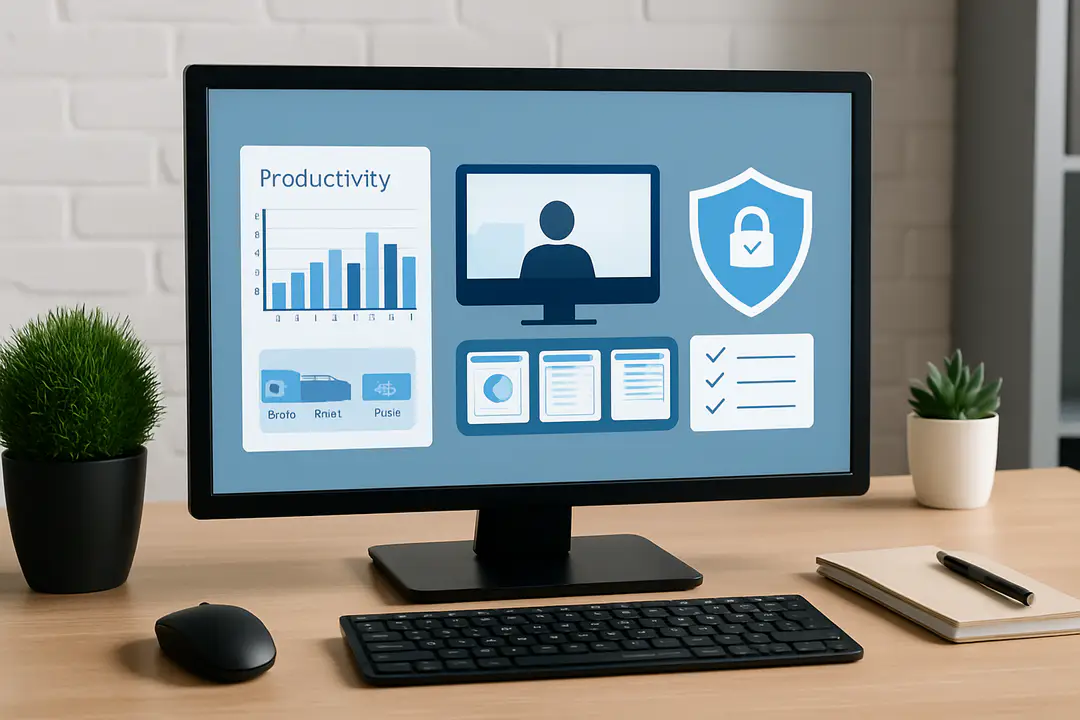

It’s common to talk about productivity tools in the office, but the real secret lies in understanding how staff interact with digital workspaces. Yet many leaders skip over the human side of monitoring, treating software as pure surveillance. How can you strike the right balance between helpful oversight and intrusive tracking?
By adopting clear rules around data collection, sharing your goals, and choosing solutions that respect privacy, you can turn monitoring into a performance enhancer. Grasping this approach lets teams feel trusted and keeps managers informed, avoiding unwelcome surprises.
Why Monitor Employees
Employee monitoring serves more than just oversight. It can uncover workflow bottlenecks, enhance team collaboration, and prevent data breaches. A recent survey found that companies using monitoring tools saw a 20% boost in task completion rates within three months. For remote teams, clear visibility into work habits builds trust and ensures fair performance reviews. As remote work increasingly relies on digital solutions, it’s crucial to stay aware of broader technology trends, especially those around emerging tech updates, which directly influence the effectiveness and scalability of remote collaboration tools.
When you know which applications your staff prioritizes, you can allocate budgets to tools they need most. If a team consistently struggles with a specific software, you can plan training sessions before errors stack up. Monitoring also flags unusual access to sensitive files, allowing security teams to intervene. Over time, trends in login times, break patterns, and project workflows emerge. You get a real picture of day-to-day operations rather than relying on occasional status calls.
Tip 1: Explain the why. Host a brief session to show how monitoring improves project planning. Tip 2: Invite questions. Let employees voice privacy concerns and suggest limits or clear rules. Tip 3: Share high-level reports regularly. This step builds transparency and reduces anxiety. By treating monitoring as a two-way conversation, you land on a model that boosts efficiency without making people feel watched.
Finally, align metrics with business goals. If reducing idle time is key, track application switch frequency. If security is top priority, set alerts for file transfers outside normal hours. Tailoring your monitoring plan prevents data overload and keeps teams focused on what matters most.
Productivity Gains Explained
Understanding actual work patterns can transform how your teams approach daily tasks. When monitoring software collects data on active versus idle time, you uncover hidden inefficiencies. Maybe your marketing team spends too much time in meetings or your developers toggle between coding and emails too often. Once you have the numbers, you can redesign workflows, set realistic deadlines, and boost output without adding overtime.
Data shows that teams using productivity tracking tools reduce context switching by as much as 30%. This means fewer distractions and deeper focus blocks. By reviewing weekly reports, managers see who excels under pressure and who might need extra support. This insight helps in assigning tasks, balancing workloads, and setting clear performance targets.
Key productivity wins include:
- Time block optimization: Identify best hours for deep work and reserve them.
- Goal alignment: Tie individual tasks to broader team outcomes.
- Resource planning: Pinpoint software or hardware upgrades that really matter.
Practical tip: Review metrics in a shared dashboard. Celebrate wins publicly to reinforce positive behaviors. This small move turns raw data into team motivation.
For example, a support team noticed call handling time spiked during lunchtime. They adjusted shift schedules and cut response times by 15%. In another case, a content group used the data to balance writers’ workloads, resulting in 25% more articles per month. These wins show how data-driven insight leads to smarter decisions.
Remember, productivity isn’t just about doing more; it’s about doing the right things. Monitoring software helps teams spot when they veer off course and quickly get back to high-impact work. It fosters a culture where goals are clear and resources are used effectively.
Security Protection Measures
Monitoring software is often seen as a productivity tool, but its security benefits are just as critical. By tracking file access, email activity, and unusual login attempts, you can catch threats early. In fact, a recent study showed that companies with real-time monitoring cut data breach costs by 40%. When teams know their desks are not the only thing watched, they tend to follow security protocols more closely too.
One key feature is alerting. You can set rules to flag large file transfers, access from unknown devices, or logins at odd hours. When an alert fires, your security team can investigate immediately rather than waiting for quarterly audits. This speeds up response times and lowers the risk of compromised data.
Monitoring also supports forensic analysis after an incident. Detailed logs reveal exactly who accessed which files and when. This level of traceability speeds investigations and provides clear evidence if you need to report to regulators.
Tip: Integrate your monitoring platform with your security information and event management (SIEM) system. This way, alerts from daily work tools feed directly into your broader security dashboard. It gives you a unified view of potential threats.
Finally, coaching teams on best practices like locked screens and secure networks complements technical measures. Monitoring is only one layer of defense. Combine it with strong passwords, two-factor authentication, and regular training to create a robust security posture that protects both data and reputation.
Ensuring Regulatory Compliance
Every industry faces its own set of rules on data handling and privacy. Monitoring software helps you meet these rules by keeping a clear audit trail. You can prove who accessed customer records, who printed sensitive documents, or who exported any protected files. This level of documentation is a lifeline during audits and legal reviews.
In finance, for example, firms must comply with FINRA or GDPR rules that govern data use. Automated monitoring tools can tag personal data and alert you if an employee tries to send it outside your network. Healthcare organizations follow HIPAA and rely on logs to prove compliance in case of breaches.
Always check data privacy laws and use an online tools guide to compare compliance modules. This ensures you pick a platform with the right certifications and data retention policies. A solid guide can save hours of research and prevent costly missteps.
Tip: Map your key compliance requirements to specific software settings. Create a checklist that includes encryption at rest, user consent notices, and log retention periods. Review it quarterly to keep up with new regulations.
Remember, compliance is more than a checkbox exercise. When you build monitoring practices around legal frameworks, you reduce risk and build customer trust. That trust can become a competitive edge in markets where data privacy is top of mind.
By integrating monitoring data into your compliance reports, you shorten audit prep time. Instead of manual logs, you export digital records in minutes. This not only cuts costs but also reduces human error. Over time, your team becomes more confident in passing audits and more agile in adapting to new regulations.
Choosing the Right Software
Selecting the right monitoring solution can feel overwhelming. You need a balance of features, ease of use, and price. Start by listing your top requirements: productivity dashboards, security alerts, compliance exports, and privacy controls. Then compare vendors side by side.
| Feature | Tool A | Tool B | Tool C |
|---|---|---|---|
| Activity Tracking | ✔️ | ✔️ | ✔️ |
| Real-Time Alerts | ✔️ | ❌ | ✔️ |
| Compliance Reports | ❌ | ✔️ | ✔️ |
| Privacy Controls | ✔️ | ✔️ | ❌ |
| Pricing | $5/user | $7/user | $4/user |
Notice how each tool excels in different areas. If compliance is your top concern, Tool B might be worth the higher cost. If privacy options matter most, Tool A could be a better fit. You can even pilot two options on a small team to see which interface employees find less intrusive.
Another pointer is to check integration with your existing workflow. Does it work with your project management tool or chat platform? Will it sync with your single sign-on solution? Ask about an open API if you want custom reports or integration with business intelligence tools. Reading innovation news can highlight upcoming features in monitoring platforms that may fit your needs.
Finally, factor in support and training. A robust help center and quick response times will smooth the rollout. Also look for a vendor with regular updates to keep up with evolving work styles and security threats.
Best Practices Implementation
Rolling out monitoring software successfully requires more than flipping a switch. You need a clear plan that includes policy, training, and feedback loops. Start by drafting a simple policy document. Explain what data you collect, why you collect it, and how long you keep it. Share this policy openly with your team.
Next, train managers and staff on using the dashboards. Show them how to interpret graphs and alerts. Encourage managers to hold one-on-one sessions to discuss trends. This approach stops data from feeling like a weapon and turns it into a coaching tool.
Regular feedback is key. Schedule a monthly review where employees can comment on the monitoring process. You may learn that certain alerts create false positives or that graphs need clearer labels. Address these issues quickly to maintain trust.
Tip list:
- Set realistic goals: Avoid unrealistic daily activity targets.
- Enable privacy modes: Let staff run personal tasks without logging.
- Rotate review duties: Prevent burnout by sharing monitoring tasks.
- Celebrate insights: Highlight how data led to a team win.
By following these steps, you build a culture where monitoring feels fair and focused on growth. Employees know they are supported, not spied on. Managers get accurate data, and the whole organization benefits from clearer communication and better performance.
Your approach to employee monitoring can transform business outcomes. When you pair clear policies with privacy-focused features, you strike the right balance between oversight and trust. Tools that reveal work patterns drive productivity. They expose security gaps before they turn into crises and make compliance a straightforward task rather than a last-minute scramble.
The key is transparency. Share goals, explain data uses, and invite feedback. Choose a solution that aligns with your tech stack, budget, and regulatory needs. Use pilot programs to test features and adjust policies based on real user input. With the right system in place, you can reduce costs, boost morale, and turn raw data into actionable change.
Ready to enhance your workflow? Start small, gather insights, and scale wisely. This path helps teams feel valued and keeps managers informed every step of the way. In a world where agility matters, a thoughtful monitoring setup becomes a strategic advantage rather than a burden.