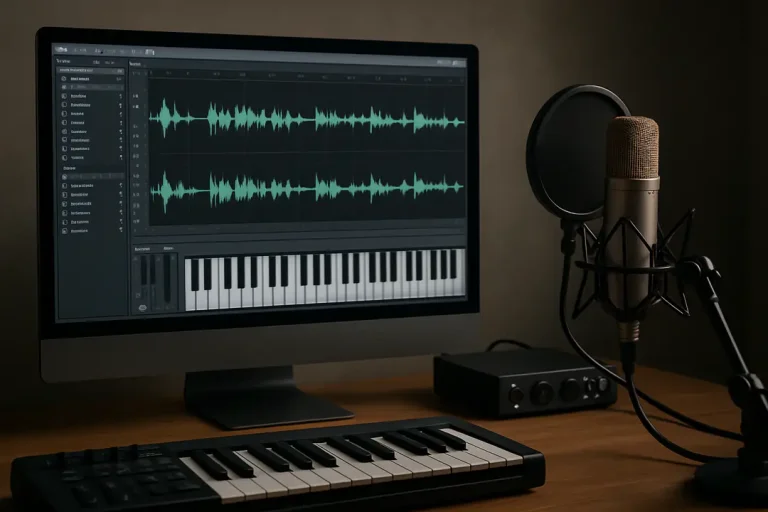
AI voice avatars are reshaping how we produce audio content, bringing a new level of flexibility and creativity. Yet, one crucial factor often gets overlooked: the emotional nuance behind each synthesized voice. How can you know if a tool truly captures the subtle inflections that make speech feel human?
Digging into emotional expressiveness helps you choose the right platform and avoid flat, robotic results. By understanding this aspect, you’ll deliver engaging voiceovers, save editing time, and steer clear of disillusioned listeners. Let’s explore how to master this hidden gem and elevate your audio creations.
Why Voice Avatars Matter
As creators compete for attention, a clear, engaging voice can set your project apart. AI voice avatars let you generate narration, character dialogue, or promotional clips without hiring multiple voice actors. This saves both time and budget, especially for small teams or solo entrepreneurs.
But beyond cost and speed, avatars offer consistency. You can maintain the same tone across a series of videos or podcasts—something human talent may struggle with over long runs. Consistent voice branding reinforces your identity and helps audiences connect more deeply.
Many overlook how avatars support accessibility. By customizing speed, clarity, and accent, you can cater to non-native speakers or listeners with hearing challenges. In turn, you widen your reach and show you care about user experience. Practical tip: test different emotion settings on short segments before committing to a full project to ensure your avatar’s tone matches your message.
Key Features to Look For
Not all AI voice avatar tools are created equal. First, consider voice quality. Look for platforms that use neural networks for natural prosody and smooth transitions. Second, check customization options. Can you tweak pitch, speed, and stress? These controls let you fine-tune delivery.
Third, explore available languages and accents. A tool with a broad library helps you localize content or create characters for fiction. Fourth, ensure easy integration. Does it support popular formats (MP3, WAV) or offer API access? Seamless export saves manual work.
Finally, assess cost versus features. Free tiers may limit voices or export time. Paid plans unlock advanced voices, emotion controls, and higher quotas. Before investing, run a trial to compare output. And if you’re exploring vocal workflows, you might find our AI vocal track setup guide helpful for deeper insights.
Top AI Voice Avatar Tools
Here are some widely used platforms that balance quality and ease:
- Tool A: Strong neural voices, real-time API.
- Tool B: Extensive emotion sliders, multi-language support.
- Tool C: Free tier with basic voices, affordable upgrades.
- Tool D: Custom voice cloning from short samples.
- Tool E: Secure data handling, perfect for sensitive projects.
Tool A shines in producing broadcast-quality narration with minimal setup. Tool B gives you granular control over emotion and pacing, ideal for character-driven content. If budget is tight, Tool C’s free plan covers basic needs but caps usage hours.
When security is a concern—say, for corporate training modules—Tool E encrypts voice data end-to-end. And for brand consistency, Tool D lets you clone a unique voice, from an existing voice actor or your own recording.
Tip: Combine two platforms for complex projects. Use Tool A for main narration and Tool B for dialogue scenes requiring dramatic flair. Mixing outputs can deliver a richer auditory experience.
Integrating Into Workflow
To get the most out of AI avatars, follow a clear process:
- Script Preparation: Write concise, conversational text. Short sentences help avatars sound more natural.
- Voice Selection: Choose a voice that aligns with your brand personality.
- Emotion Tuning: Adjust pitch and speed. Test small clips to lock in the right mood.
- Batch Generation: Group similar lines to maintain consistency and save API calls.
- Editing & Syncing: Import files into your audio or video editor. Trim silences and add background sound where needed.
- Review & Feedback: Share samples with teammates or test audiences, then fine-tune settings.
Keeping files organized in folders labeled by project and date prevents version confusion. Also, automate uploads when possible—some tools sync directly with content platforms. This minimizes manual drag-and-drop steps and cuts down on errors.
Practical tip: Record your own voice for reference. Comparing human vs. avatar helps you catch unnatural pauses or misplaced emphasis before final export.
Common Pitfalls to Avoid
Even top tools can produce jarring results if misused. One frequent mistake is overloading scripts with complex sentences. Avatars perform best on simple, direct language. If your text has nested clauses, break it apart.
Another trap is ignoring pronunciation guides. Many platforms let you specify phonetic spellings for tricky names. Use these features to avoid mispronunciations that distract listeners.
Be cautious with data privacy. If you upload sensitive scripts, confirm the tool’s data retention policy. Some services store your content indefinitely, which may conflict with your privacy requirements.
Also, beware of monotony. Even if a tool boasts dozens of voices, using the same tone for every piece makes content predictable. Vary speeds and emotions across episodes or chapters to keep audience interest.
Final tip: keep an eye on your usage quotas. Overruns can trigger unexpected charges or limit future access. Regularly review your account dashboard and set alerts for thresholds.
Future Trends to Watch
The AI voice avatar space is evolving rapidly. Expect more hyper-realistic voices that blur the line between AI and human speech. Advances in expressive AI will let you capture subtle emotions—joy, hesitation, surprise—with a few parameter tweaks.
Real-time voice conversion is on the horizon. Soon, you might speak into a microphone and broadcast in a different avatar voice live. This could transform gaming, streaming, and virtual events.
Multi-modal avatars that sync facial expressions and lip movements are emerging. As cameras capture your face, the avatar mirrors your expressions in real time. For filmmakers and virtual presenters, this offers an immersive way to connect with audiences.
To stay ahead, follow the latest tech news from innovation hubs and emergingtech updates. Early adopters will gain a competitive edge by experimenting with beta features and sharing feedback with developers.
Practical advice: join user forums and beta programs. Hands-on experience unveils real strengths and limitations, letting you plan ahead for integration into major projects.
Conclusion
AI voice avatar tools content creation has moved from novelty to necessity for modern storytellers, educators, and marketers. By prioritizing emotional nuance, you ensure each recording feels authentic and engaging.
Evaluate features like voice quality, customization options, and pricing to find the right platform. Test small batches, review feedback, and refine settings before diving into large-scale projects. Avoid common missteps—overcomplex scripts, privacy oversights, and monotony—to maintain a professional edge.
Looking forward, real-time conversion and expressive avatars will unlock fresh creative possibilities. Staying informed through tech news and beta communities ensures you’re ready for these innovations. Armed with the right tools and practices, you can craft compelling audio that resonates with your audience and elevates every piece of content.
Ready to bring your content to life? Dive in, experiment, and let your AI voice avatar become a trusted collaborator in your creative journey.